
Computer Repairs in Mullumbimby
20+ Years' Experience
Support for Windows & Mac
Mobile On-Site IT Service
Tailored Computer Support
At Rescuetech, we provide professional computer repairs and IT support for homes and businesses in Mullumbimby and surrounding areas. Our technicians fix hardware faults, remove software errors and recover lost data to keep systems performing at their best.
We service Mullumbimby clients on-site and from our Ballina workshop, depending on what’s required. Every repair starts with careful assessment and a clear explanation of the issue, so you know exactly what’s being done. Whether your computer is running slowly, won’t start or has lost important files, we’ll get it working again quickly and reliably. With more than 20 years of experience, our team provides practical solutions you can trust.
Need computer repairs in Mullumbimby? Contact Rescuetech today on (02) 6681 5575.
Hardware
Software
Data Recovery
Hardware Repairs
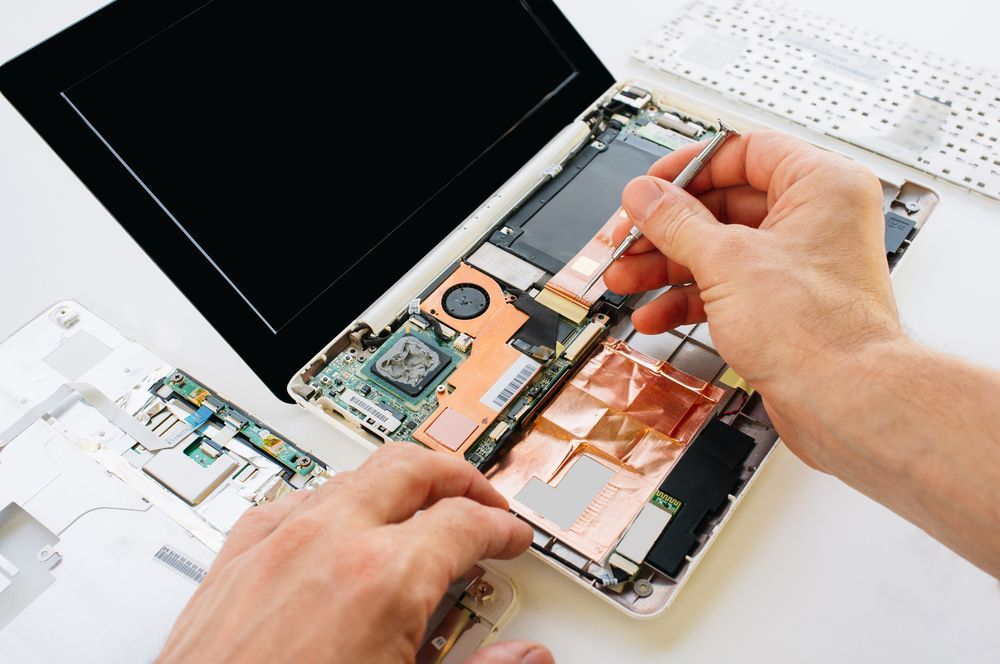
Hardware faults can affect performance, cause sudden shutdowns or prevent your computer from turning on. Common issues include failing power supplies, overheating components and damaged drives. At Rescuetech, we use diagnostic tools to locate the fault and repair or replace defective parts with high-quality alternatives. Our technicians also carry out preventative maintenance such as cleaning fans and improving airflow to avoid future failures.
If your computer has become sluggish, upgrading its hardware can also make a major difference in speed and reliability. We service both desktop and laptop systems with equal care, ensuring every repair is safe, thorough and long-lasting. Quality hardware repairs can restore your system’s performance and extend its lifespan for years to come.

Software Services
Software problems can slow down a computer or make it behave unpredictably. These issues often come from corrupted files, outdated systems or hidden malware. Rescuetech provides complete software servicing to restore stability and security. We remove viruses, reinstall or update operating systems and fix configuration problems that cause crashes or loading errors.
Our technicians also perform driver and security updates to improve compatibility and reduce the risk of future faults. When programs freeze or fail to start, we resolve the underlying issues without unnecessary reinstallation. Regular servicing helps keep your computer running efficiently and securely. With professional software repairs, your system can perform faster, respond smoothly and stay protected from digital threats.
Data Recovery
Losing files can happen unexpectedly, whether from a hard drive failure, system crash or accidental deletion. At Rescuetech, we provide professional data recovery for clients across Mullumbimby and nearby areas. Our technicians recover files from hard drives, SSDs and external devices using safe, non-destructive methods. We handle each recovery carefully to protect any remaining data and improve the chance of full restoration.
Once files are recovered, we can transfer them to secure storage or help set up automatic backups. Acting quickly after data loss gives the best chance of success, as continued use can overwrite recoverable files. Reliable data recovery brings back valuable information and helps prevent future losses through proper storage management.
Submit An Enquiry in Mullumbimby
Need assistance? Either call our team or submit an online enquiry. Help is on it's way!
Contact Us
Thank you for contacting Rescuetech Computer And iPhone Repairs.
We will get back to you as soon as possible.
Oops, there was an error sending your message.
Please try again later.
FAQ
Why does my computer keep restarting unexpectedly?
Frequent restarts can be caused by overheating, faulty power units or driver conflicts. Checking ventilation and updating system drivers often resolves the issue.
How can I tell if my computer has a virus?
Slow performance, random pop-ups and disabled antivirus software are strong indicators. Running a full scan with reputable security software helps remove infections.
Is it safe to open a computer case for cleaning?
Only if the system is unplugged and you’re familiar with handling components. Using compressed air without touching internal parts is the safest cleaning method.